AI workspace / 8 min read
Why startups need a model-agnostic AI workspace now
See why founders and small SaaS teams use a model-agnostic AI workspace to control token spend, compare models, and avoid lock-in. Start planning now.
A startup does not usually decide to become an AI-heavy company in one clean moment. It happens sideways. A founder uses AI for investor updates. Support uses it for replies. Product uses it to summarize feedback. Engineering uses it for code review and debugging. Marketing uses it for landing-page drafts. Then one day the team has five AI workflows, three model preferences, scattered prompt habits, and a bill nobody can explain quickly.
That is the moment a model-agnostic AI workspace starts to matter. The value is not simply having more models in a dropdown. The value is giving a small team one shared place to use the right model for each job, compare output quality, keep provider keys controlled, and track token usage with available cost estimates.
For founders and small SaaS teams, this is becoming an operating decision, not a tooling preference. AI is moving from occasional helper to daily infrastructure. When a tool becomes infrastructure, model choice, token spend, team access, and workflow memory need to be managed deliberately.
Quick answer
What should you do?
Startups need a model-agnostic AI workspace when AI becomes shared infrastructure: it centralizes model choice, provider-key control, spend visibility, and workflow memory.
The token cost problem is really a usage problem
It is tempting to say token costs are rising because model prices are rising. That is only partly true, and sometimes it is not true at all. Some provider prices fall over time. Cheaper models get better. New open and specialist models appear. The bigger issue for startups is that total token spend rises as AI becomes part of more work.
A founder who used to run ten prompts a week might now run hundreds. A support workflow might summarize every ticket thread. A product workflow might process long interview transcripts. A coding assistant might send large context windows back and forth many times in a single task. Reasoning models and agent loops can be especially hungry because they often generate more intermediate work before producing the final answer.
So the budget risk is not just "premium models are expensive." The budget risk is using premium models as the default for ordinary work, then letting usage spread without a way to see where the money is going. For a small team, that can turn AI from a productivity win into a quiet margin leak.
One default model stops fitting the team
A single-model setup feels simpler at the start. Everyone learns one interface. The founder knows which vendor is being used. The team avoids debates. That simplicity is useful for the first week, but it usually breaks as soon as the work gets more varied.
Customer research does not need the same model as a board memo. A bug explanation does not need the same model as a legal policy summary. A quick rewrite does not need the same model as a careful positioning exercise. A bulk classification job does not deserve the same model as a high-stakes strategic decision.
When every task goes through one default model, you overpay for simple work and under-test better options for difficult work. You also train the team into habits that are hard to unwind. People do not compare models because comparison is inconvenient. They do not choose cheaper capable models because those models are not in the same workflow. They do not save the best prompts because the work is scattered across personal chats.
Model-agnostic does not mean model-chaotic
The phrase model-agnostic can sound like a blank check to use everything everywhere. That is not the goal. A good model-agnostic workspace gives the team more choice, but keeps that choice inside a governed system.
Owners should decide which providers are connected. They should choose which models are enabled. They should keep API keys away from members. The team should be able to use approved models without pasting secrets into local tools or opening personal provider accounts. That is the difference between optionality and sprawl.
The best version of model agnosticism is boring in the right way. People still have one workspace. Prompts still live in one place. Files and project context stay organized. Saved outputs are easy to find. Usage is visible by model, provider, member, and project. The model layer can change without the whole team changing how it works.
The real benefit is routing work to the right level of intelligence
Not every task needs the smartest model you can buy. Some tasks need precision. Some need speed. Some need long context. Some need a model that writes naturally. Some need a cheap model that can process a lot of text without making the bill painful.
A model-agnostic workspace lets a small team build a routing habit. Run the same prompt across multiple models. Look at the answers side by side. Ask whether the cheaper answer is good enough. Save the winning prompt and model choice for next time. Over a month, those tiny decisions become a cost strategy.
This is especially powerful for recurring startup work. Support summaries, feedback tagging, CRM note cleanup, first-draft email replies, changelog drafts, internal research cleanup, and simple data extraction often do not need a frontier model. Investor narratives, complex product strategy, sensitive customer messaging, and deep technical reasoning may deserve a stronger model. The point is to make that distinction visible before the default becomes expensive.
What founders and small SaaS teams get back
A model-agnostic workspace gives small teams leverage in a few concrete ways. The first is cost visibility. You can see which models are being used and which projects are driving spend. That makes the AI bill a management conversation instead of a surprise.
The second is speed of experimentation. When a new model gets better or cheaper, you do not need to migrate the whole team. You test it against real prompts, compare the output, and decide whether it earns a place in the workflow.
The third is bargaining power. If all your prompts, habits, and shared outputs live inside one vendor-specific product, switching is painful. If your workspace is model-agnostic, providers compete for the task. Your team workflow stays stable while the model market keeps moving.
- Less wasteRoutine work can move to cheaper capable models without asking the team to learn a new tool.
- Better decisionsModel comparison turns "I like this model" into evidence from the same prompt and context.
- Cleaner governanceOwners manage providers and keys once, while members use approved access safely.
- More durable workflowsPrompts, files, projects, and outputs survive provider changes.
How to switch without slowing the team down
The easiest adoption path is not to redesign every workflow. Start with the AI work already happening. Pull the common prompts into a shared library. Connect the providers your team already trusts. Pick a few recurring jobs where cost or quality actually matters. Then compare models on those jobs before setting defaults.
For a small SaaS team, a good first pass might be customer feedback summaries, support replies, product research, sales follow-ups, engineering explanations, and founder writing. These jobs happen often enough for savings to matter, but they are varied enough to show why one model is rarely the right answer for everything.
The team does not need a grand AI strategy to begin. It needs a practical habit: compare when the task matters, route when the cheaper model is good enough, save what works, and review usage before the bill gets weird.
Where BounceGrip fits
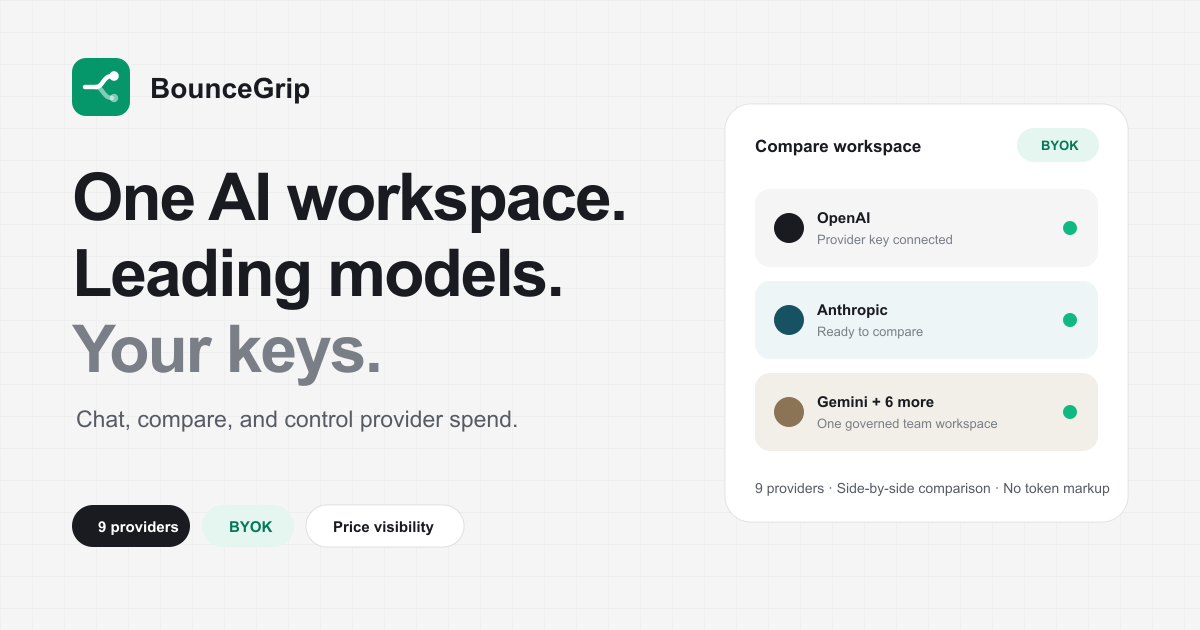
BounceGrip is built for this exact operating pattern. It gives founders and small teams one workspace for OpenAI, Anthropic, Google Gemini, OpenRouter, DeepSeek, Kimi, Qwen, MiniMax, GLM, xAI (Grok), and Meta (Muse Spark). Owners bring provider keys once, keys stay encrypted and server-side, and members can use approved models without seeing secrets.
The product is intentionally direct: chat across models, compare up to four outputs on one prompt, attach files to project context, save prompts, keep useful outputs, and review token usage with cost estimates where provider rates are available. BounceGrip charges for the workspace. Model usage is billed by your providers, at their prices, without token markup from BounceGrip.
That makes the incentive clean. BounceGrip is valuable when it helps your team pick better models, avoid expensive defaults, and keep AI work organized. For a startup, that is the difference between "we use AI a lot" and "we know how AI actually fits our operating model."
How we prepared this guide
BounceGrip builds a BYOK AI workspace, so our perspective is explicitly for teams that value model choice, direct provider billing, and shared workflow context. We make that point of view visible rather than presenting it as a universal answer.
- Experience: the guidance is shaped by the product problems this workspace is built to solve.
- Verification: time-sensitive claims are linked to the relevant first-party source below.
- Scope: this is a decision guide, not legal, security, or financial advice; validate fit against your own requirements.
Last reviewed .
Sources and verification
Product and pricing details can change. We link to first-party documentation where available and reviewed these sources when this article was last updated.